Clip scores you can trust (and everything else new this week)
Every ClipBot clip now has a public 0–100 score, a percentile calibrated on 53,060 clips, and broadcast pages sort best first. Plus: 28-hour streams clipped, opt-in Twitch posting of your top 3, eleven caption styles, new webcam styles and room for big monitors.
 ClipBot team · · 5 min read
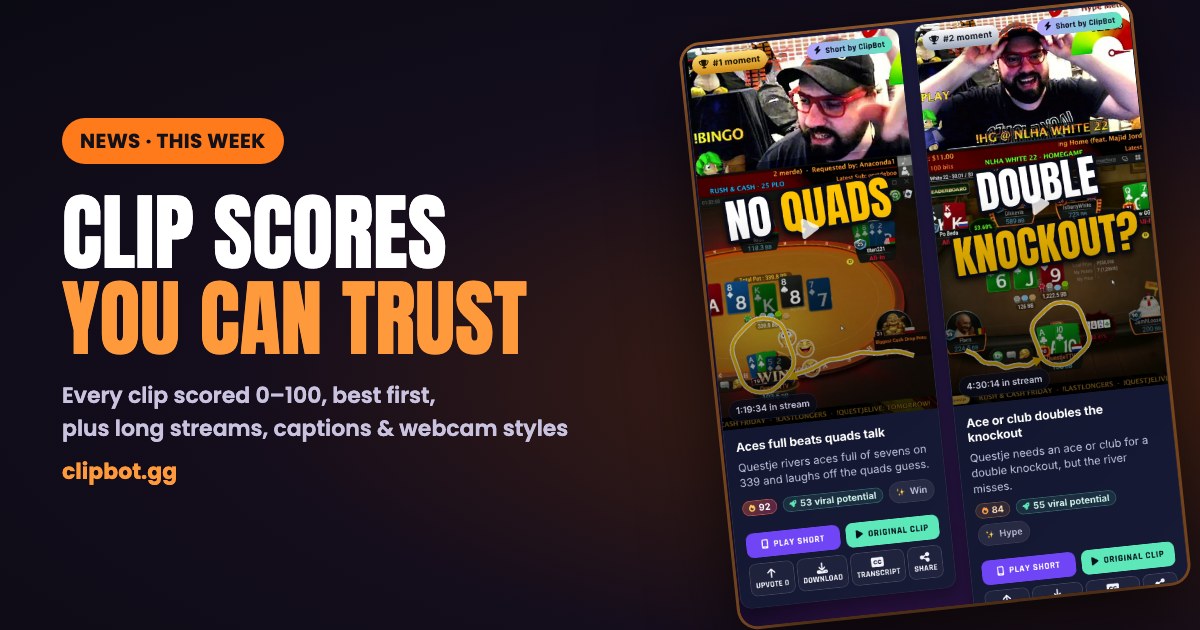
Every clip ClipBot makes now carries a public score from 0 to 100, and every broadcast page sorts its clips best first. That's the headline of a busy week. Below it: no more trouble with marathon streams, Twitch posting that only shares your best moments, eleven caption styles, new webcam styles, and a site that finally uses your big monitor.
Clip scores you can trust
ClipBot has always rated every moment it clips, but the rating stayed behind the scenes, and for a good reason: on its own it isn't very readable, and it shifts whenever we improve how ClipBot judges moments.
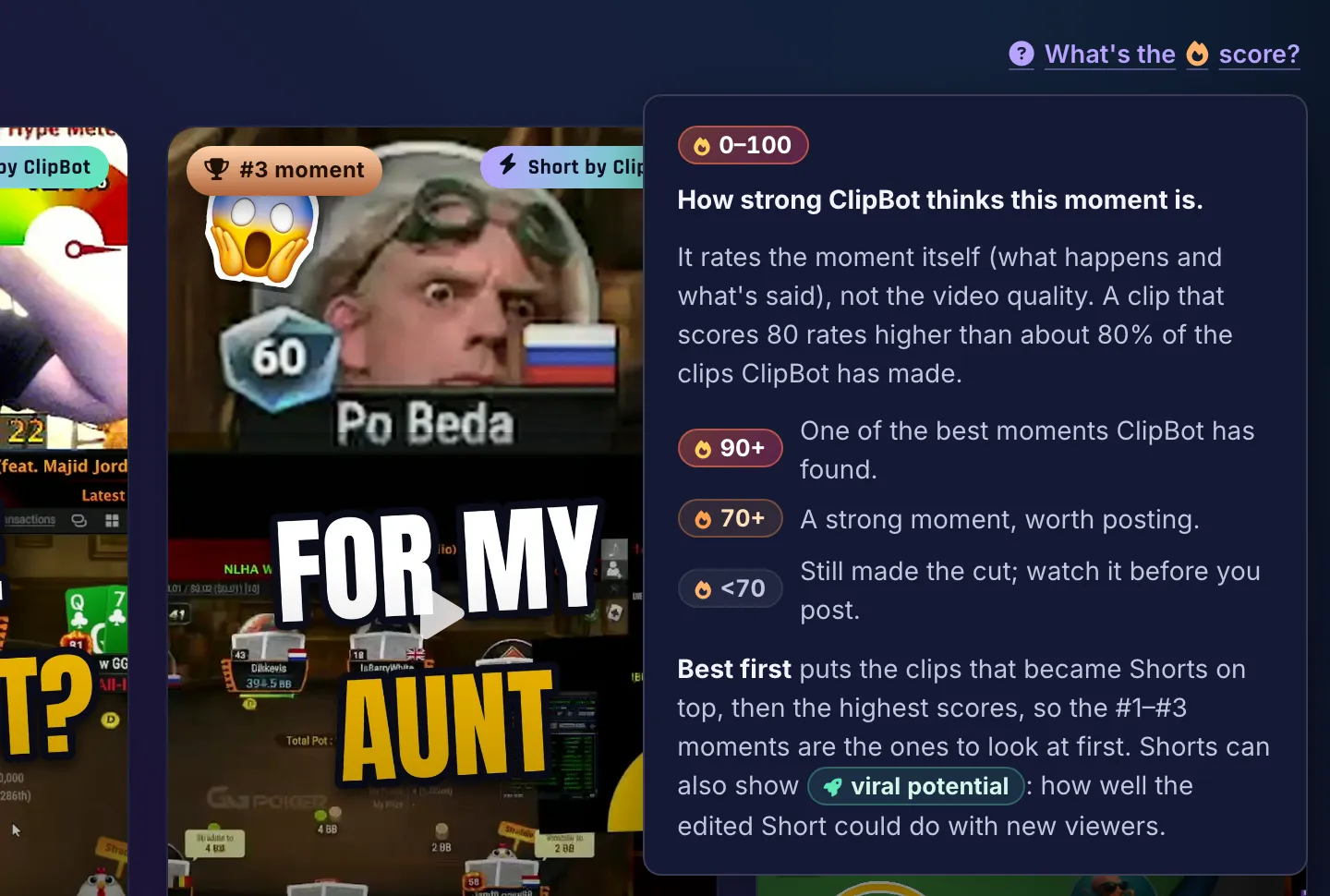
So the new score is a percentile. A clip that scores 80 rates higher than about 80% of the clips ClipBot has made. Scores are calibrated on 53,060 clips and then frozen, so a clip's score never changes from one day to the next, and an old clip isn't inflated next to a new one.
- 90+: one of the best moments ClipBot has found.
- 70+: a strong moment, worth posting.
- Under 70: still made the cut. Watch it before you post.
The score rates the moment, meaning what happens and what's said, not the quality of the video. It's public on every clip card, every clip page and every broadcast page, so viewers see the same number the streamer does.
“Clip it” calls get their own badge
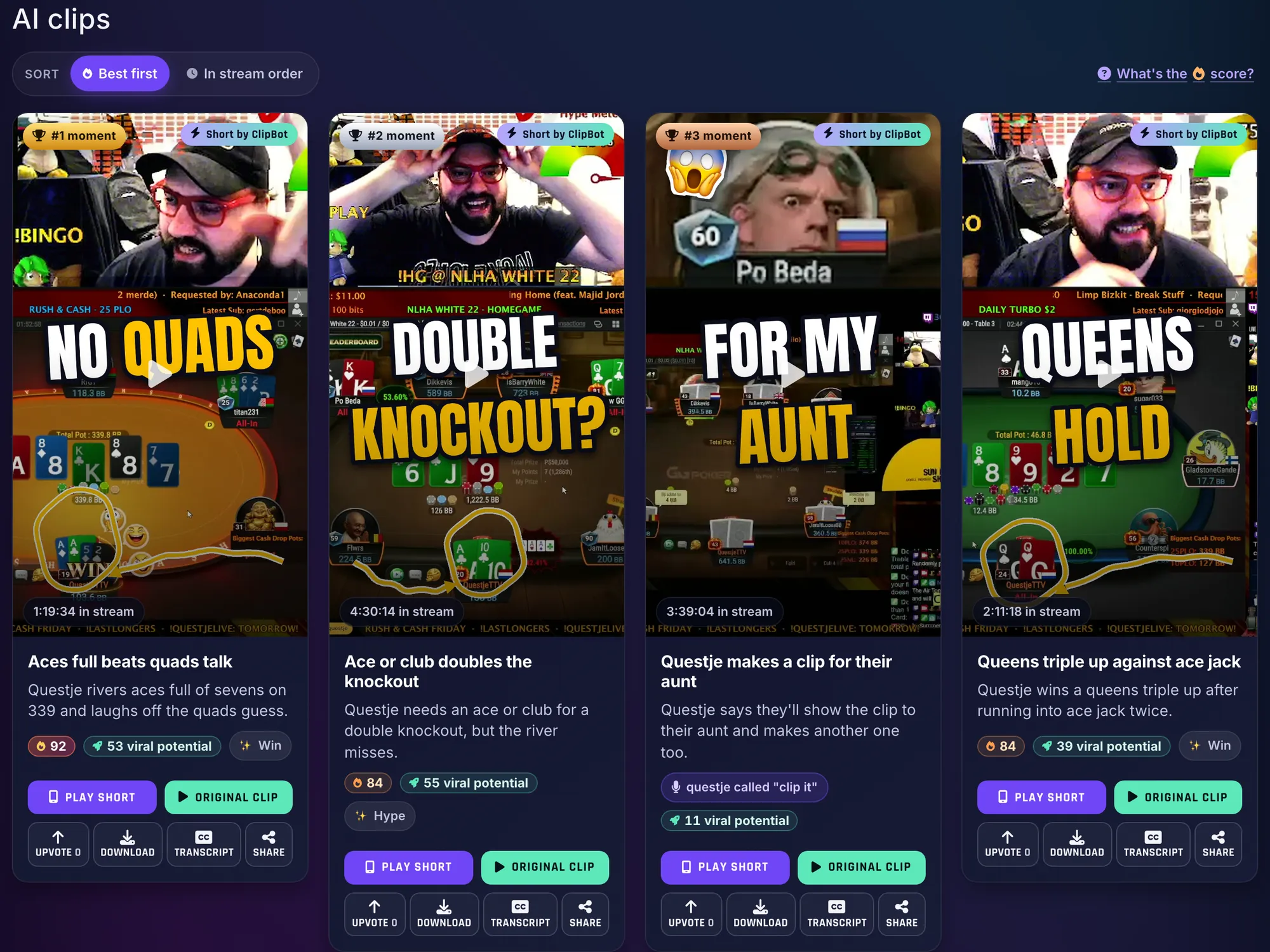
When a streamer says “clip it” on stream, ClipBot makes sure that moment gets clipped. Those clips don't get a number, because the streamer already judged them. Instead they carry a badge (“questje called ‘clip it’”, or “You called this one” on your own broadcast), a microphone marker on the stream timeline, and they rank at the top of the score order. ClipBot has clipped 2,657 of these calls so far.
Best first
Broadcast pages now open sorted Best first. The clips that became Shorts come first, in the order ClipBot ranked them as Shorts, then everything else by score. One tap switches to In stream order, and your browser remembers which one you like. The #1, #2 and #3 moment badges and the ranks on the timeline always follow the score, whichever order is on screen.
Viral potential on Shorts
Shorts get a second number, viral potential. Where the 🔥 score compares a moment against every clip ClipBot has made, viral potential asks how well the edited Short could do with people who have never seen the stream. It's built from five parts, and hovering the pill shows how the Short did on each:
- Hook: do the first seconds make people stop scrolling?
- Payoff: does it build to a punchline, reveal or big reaction, and land it?
- Makes sense to a stranger: can someone who has never seen the stream follow it?
- Emotion: does it make you laugh, gasp, cringe or get hyped?
- Shareability: would people comment on it or send it to a friend?
It shows on Shorts made since October 22: on broadcast pages, in the Shorts feed, on clip pages and on profiles.
Anyone can upvote
Every clip and Short on a broadcast page now has an Upvote button for visitors, with no sign-in needed. Upvotes are how fans tell a streamer which moments landed, and they help clips earn a spot in the homepage showcase. To keep the count honest, a signed-out vote is remembered for a day, so opening a new tab doesn't let you vote twice.
Everything else new this week
Long streams, all of them
ClipBot has no 6-hour cap, and it never had one, but very long broadcasts used to hit a wall: three broadcasts of 20 to 28 hours failed. Now marathon streams are clipped like any other, with every word kept, and the streamer stays the same speaker from the first hour to the last (more on that in who said what).
The first broadcast through was the longest one we'd ever had: bloodclo's 28-hour Forza Horizon 6 stream. It got 15 clips, from 2 hours in to 27 hours in, plus a “clip it” call 12 hours in.

Twitch posting is opt-in, and only your top 3
ClipBot can post your moments to your Twitch Clips tab. From this week it's opt-in, and it's more selective: Top 3 per broadcast posts only your three best moments with a 🔥 score of 70 or more. If you'd rather have every clean moment, pick All moments, or Off. Streamers who already had posting on keep it, switched to Top 3, with a one-time note showing what was posted and a button to turn it off. New streamers can switch it on from the card on their broadcast page, which previews exactly which clips would go up.
Eleven caption styles
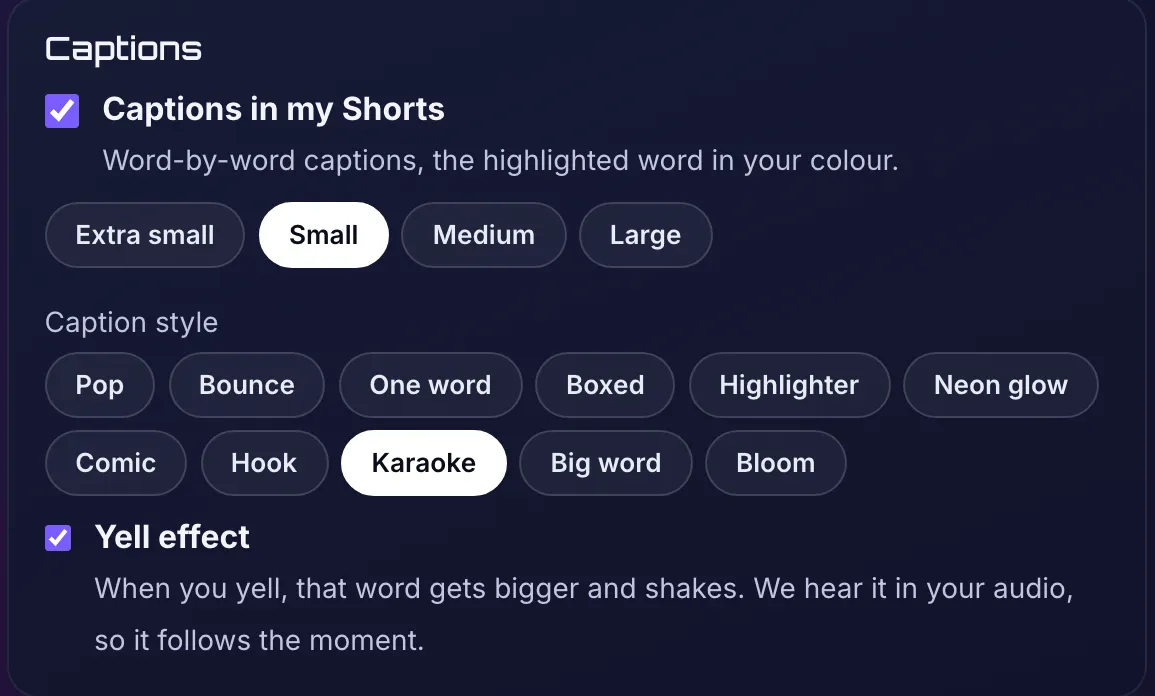
Your Shorts branding page now has a caption style picker with eleven styles: Pop (the default), Bounce, One word, Boxed, Highlighter, Neon glow and Comic, and four new ones drawn by our new caption engine: Hook, Karaoke, Big word and Bloom. The highlighted word uses your brand colour. There's also a Yell effect: when you yell, that word gets bigger and shakes. ClipBot hears it in your audio, so it lands on the moment.

Webcam styles
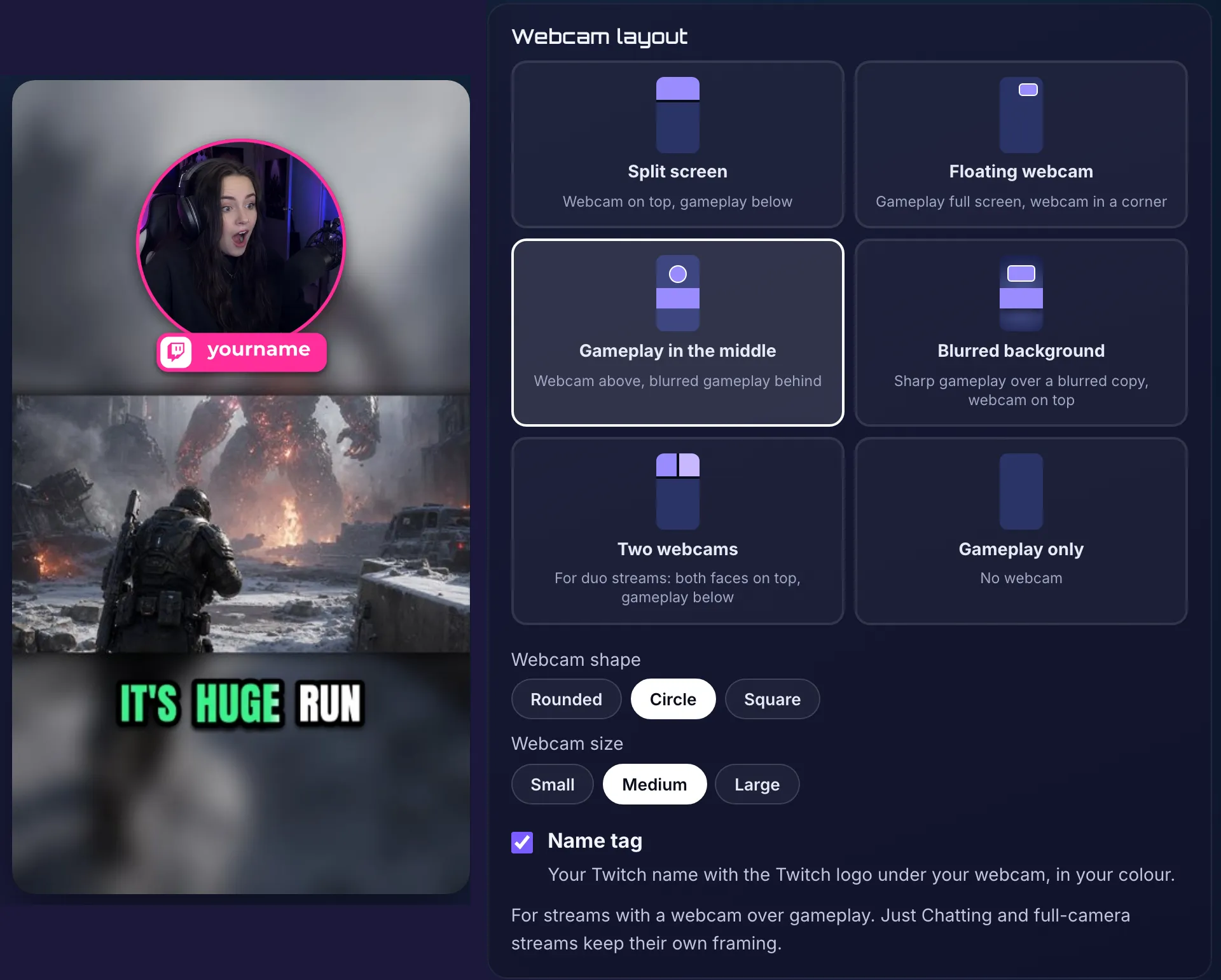
The webcam in your Shorts can now be a circle, a rounded box or a square, with an optional Twitch name tag under it: your Twitch name with the Twitch logo, in your colour. Three new layouts join split screen, floating webcam and gameplay only:
- Gameplay in the middle: your webcam above a band of gameplay, over a blurred copy of the game.
- Blurred background: sharp gameplay over a blurred copy of itself, with your webcam on top.
- Two webcams: for duo streams, both faces on top and gameplay below. When only one person is on camera, that Short uses the split screen.
Want to fine-tune one Short by hand? That's the rebuilt Shorts editor. And Stories can now run up to two minutes.
Made for big monitors
On a 2K or 4K monitor, ClipBot used to sit in a narrow column in the middle of the screen. Now pages grow with your screen: content is about 1,600 pixels wide on a 2K monitor and 2,200 on 4K, with even side margins. Shorts grids get bigger cards (from 160 up to 320 pixels wide) instead of more tiny columns, and the branding preview grows too. Blog posts keep a comfortable reading width.
A homepage Shorts row you can grab
The homepage opens on a row of real Shorts and Stories that drifts slowly across the screen. Now you can grab it: drag it with the mouse or swipe it on your phone and fling it either way, and it eases back into its drift when you let go. On phones it scrolls with your browser's own momentum. Tap a Short and it plays right there in a 9:16 player.
Small things
- ClipBot+ gem: broadcast pages show the ClipBot+ gem next to a supporting streamer's name.
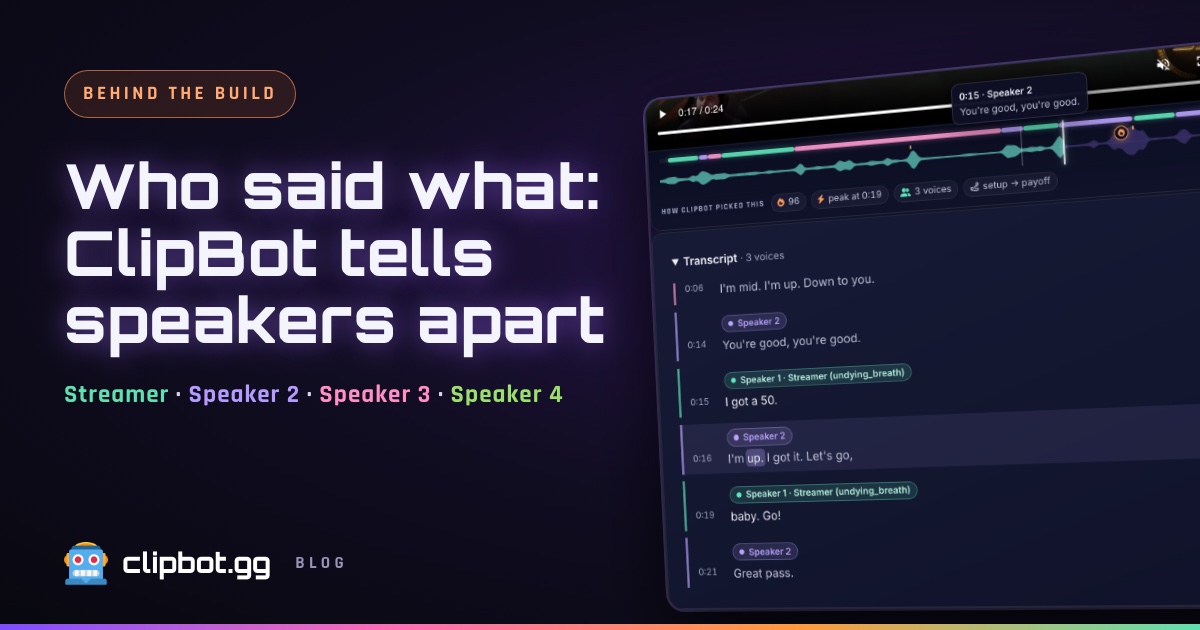
- Transcripts open: the transcript on a clip page is open by default, with who said what.
- Fresher clip ages: new clips no longer say “7 hours ago” the moment they're made.