How do you find a moment in a Twitch VOD without scrubbing for hours?
Describe it and ClipBot finds it: type “when chat roasted my aim” or “the story about my car” and Find a moment searches everything said on stream and how chat reacted. Save the moment as a clip, make it a Short, or Generate story: every time you talked about something, stitched into one Story Short, like a 1:42 gator-hunting Story cut from three parts of a 6.5-hour stream.
 ClipBot team · · 7 min read
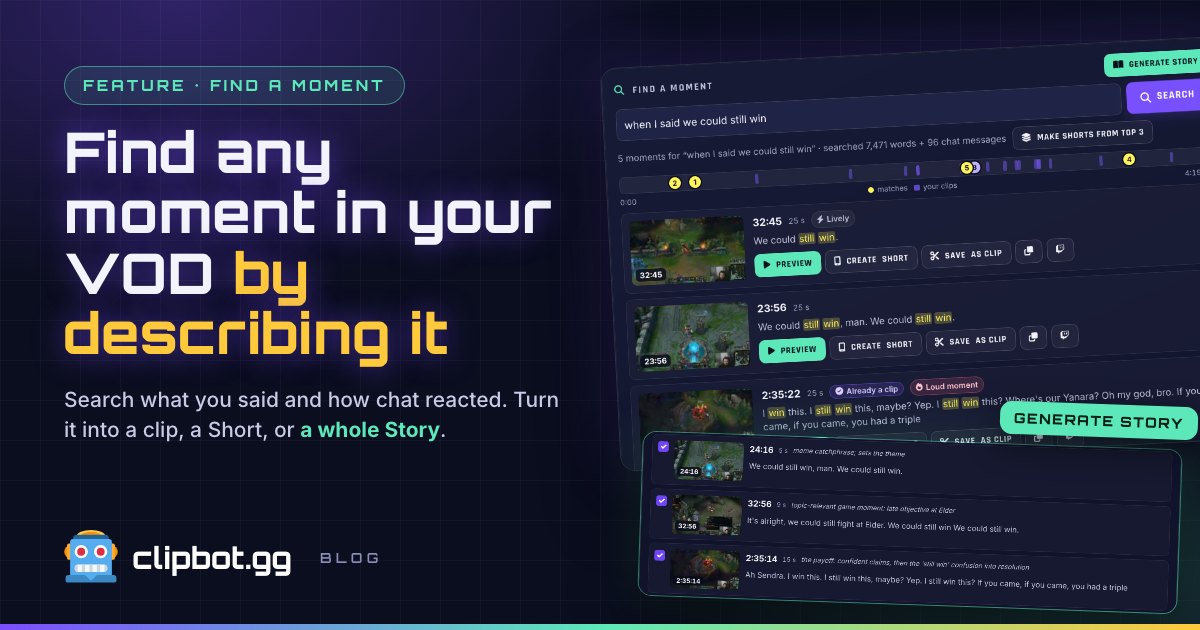
Based on real searches of coachjsu’s 4:19:30 League of Legends broadcast (7,471 words, 96 chat messages) and a Story built from a 6.5-hour broadcast (42,718 words) by another ClipBot+ streamer, November 7, 2026.
You know the moment. You told chat a story around hour three, everyone lost it, and nobody clipped it. Now it’s buried somewhere in a six-hour VOD, and the only way back is dragging the scrubber and hoping you recognise the thumbnail. We built Find a moment because that hunt sucks. Type what you remember. ClipBot reads the whole broadcast for you and hands it back.
The short version: Find a moment turns a four-hour VOD into something you can search like a chat log, and Generate story turns every time you talked about one thing into a ready-to-post Story.
How does Find a moment work?
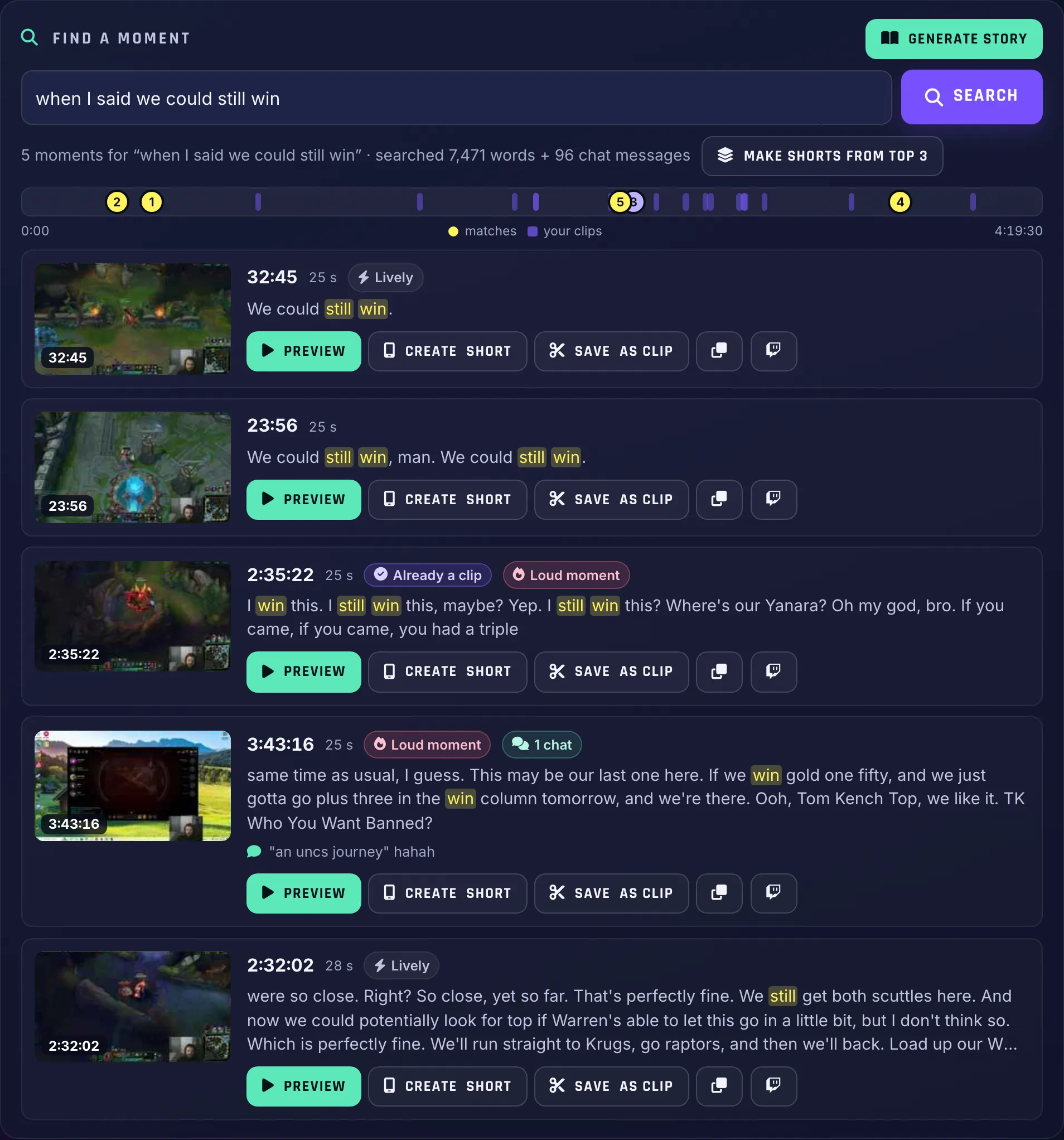
It lives at the top of your broadcast page. Type what happened, hit Search, and ClipBot goes through everything said on stream plus chat’s reactions. It matches by meaning, not just exact words, so you don’t need to remember how you phrased it. Here’s a real search on coachjsu’s League of Legends stream:
- 32:45
25 s Lively
We could still win.
- 23:56
25 s
We could still win, man. We could still win.
- 2:35:22
25 s Already a clip Loud moment
I win this. I still win this, maybe? Yep. I still win this?
Every result gives you a frame from the stream, the timestamp, the line with the matching words highlighted, and chips for how chat and the room reacted (Lively, Loud moment, Chat went wild). The match map on top shows where every hit sits in the whole broadcast, next to the clips you already have. And if ClipBot already caught that moment, the result says Already a clip, so you’re not cutting the same play twice. Look at result 3 above: that one’s been on the broadcast page since the stream ended.
Does it need my exact words?
No, and that’s the whole point. We searched “when someone called me trash”. coachjsu never said that. What he actually said at 35:03 was “I love that an O and thirteen eighty C tells me I am trash.” First result. Same with “when I talked about coffee”: straight to 3:58:04, “I am indeed a black coffee drinker.”
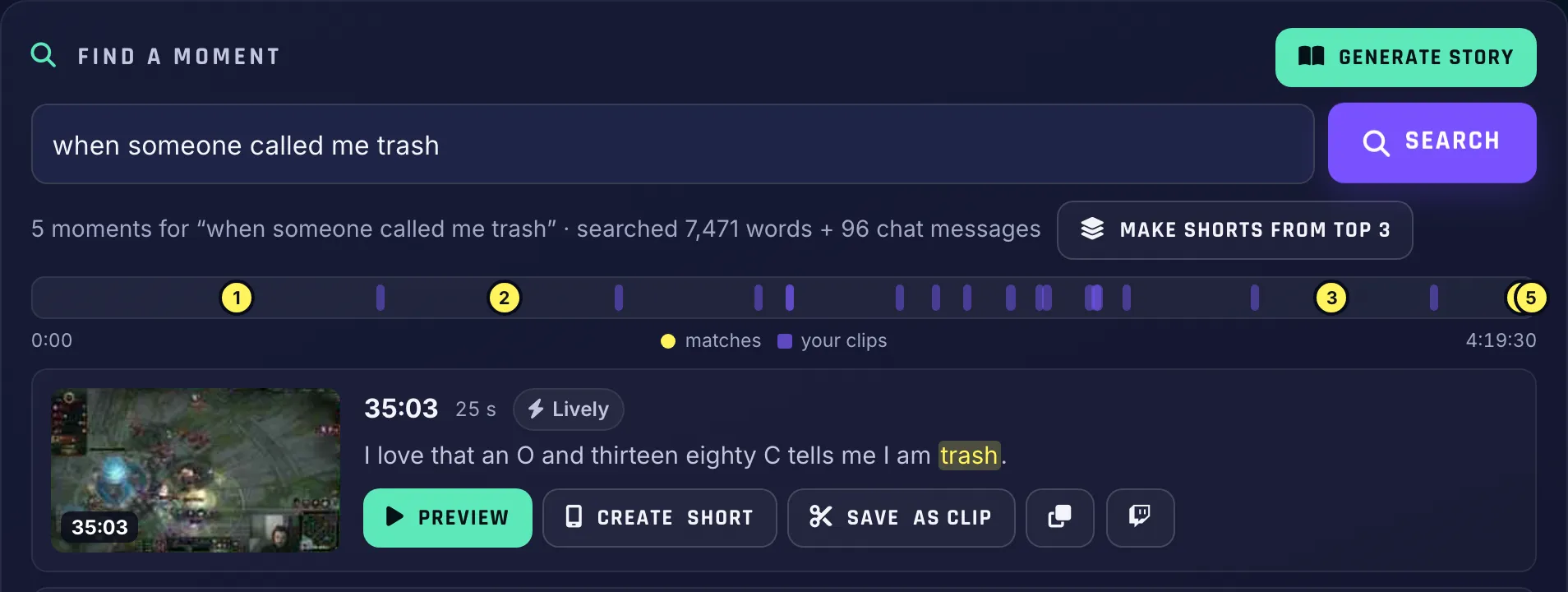
| What we typed | Top match | What was said |
|---|---|---|
| “when I said we could still win” | 32:45 | “We could still win.” (plus 23:56 and 2:35:22) |
| “when someone called me trash” | 35:03 | “I love that an O and thirteen eighty C tells me I am trash.” |
| “when I talked about coffee” | 3:58:04 | “I am indeed a black coffee drinker.” |
Real searches on coachjsu’s 4:19:30 broadcast, November 7, 2026.
What can I do with a moment once I find it?
Finding it is half the job. Every result has buttons to turn it into content right there:
Save as clip doesn’t just cut 30 seconds around the words. ClipBot uses the same start-and-end rules as the clips it makes after every stream: it backs up to the setup, ends on the payoff, and cuts on natural pauses so nobody gets chopped mid-sentence. You can still nudge the start and end a second at a time, or set them from the playhead, before you save.
Create Short goes all the way: the clip is cut, then edited into a vertical Short with your webcam layout, animated captions, a hook, sound effects and your branding, the same as your Auto Shorts. Got three good hits? Make Shorts from top 3 does the lot at once. That’s three days of TikToks from one search.
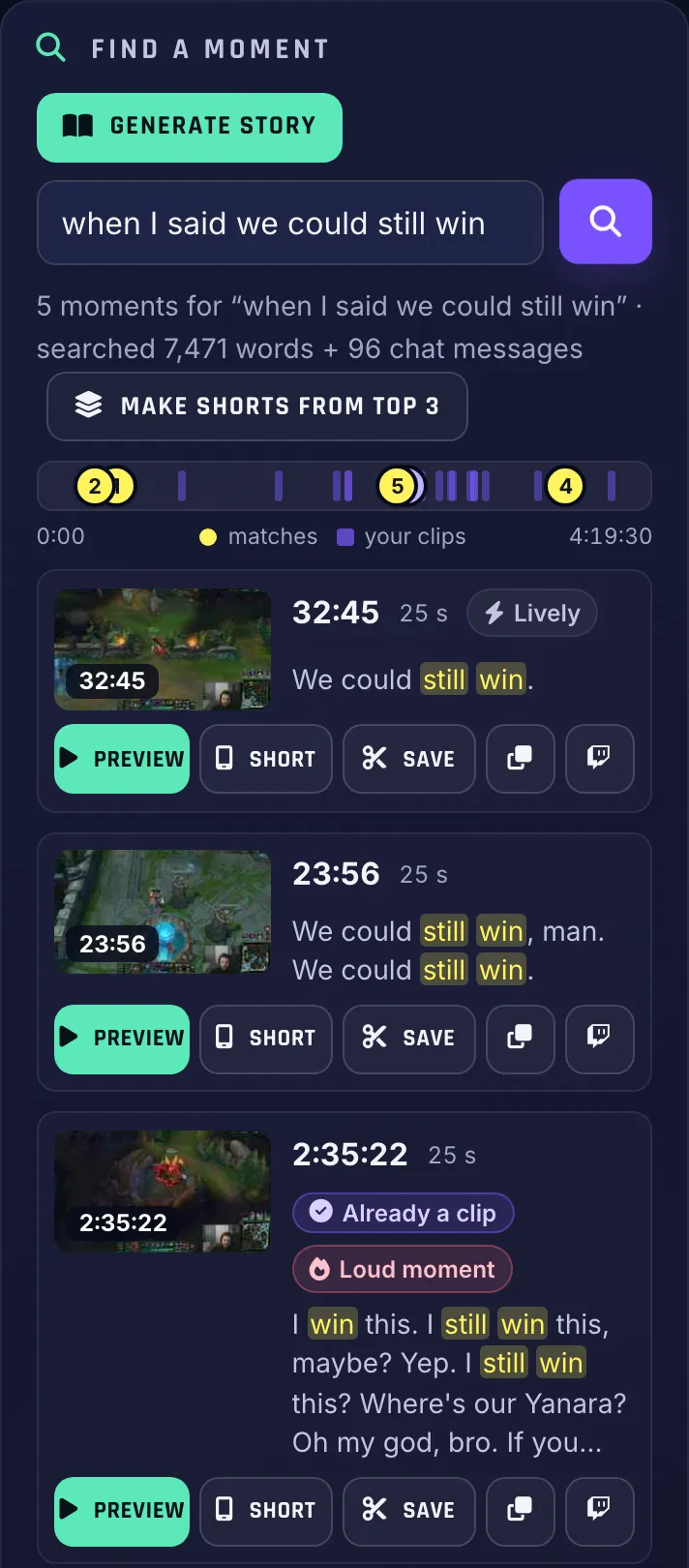
On your phone it’s the same page, stacked, so you can hunt for a moment from the couch:
Can ClipBot turn the stories I told on stream into a Short?
Yes, and this is the part we’re proudest of. Type a topic and hit Generate story instead of Search. ClipBot finds every time you talked about it across the whole stream, picks the parts that actually tell the story, puts them in order, cuts out the pauses and the “wait, chat, hold on” bits, and shows you the parts first. Untick anything you don’t want, name it, hit Make story, and a few minutes later there’s a finished Story Short on your broadcast page, ready to edit and post.
Here’s the one that made us go “oh, this is a feature”. One of our streamers spent part of a 6.5-hour broadcast telling chat gator stories, not in one go, but in pieces, an hour apart. We typed “when I talk about gator hunting”. ClipBot scanned 42,718 words and 141 chat messages and came back with a three-part, 1:42 Story:
- 3:38:09Part 1: The BB gun and the spotlight at night.
- 3:39:59Part 2: The dog spots a gator near the house.
- 4:35:14Part 3: A real tagged hunt: spotlights, treble hooks and an 18-foot boat.
Two of those parts were two minutes apart. The third was nearly an hour later. Nobody scrubbing a VOD would ever have stitched them together, and that’s exactly the kind of thing that does numbers as a Short: setup, escalation, a payoff with treble hooks and an 18-foot boat. The edit came out with captions, a hook, and the streamer’s branding, ready to post. We’re not showing it because it’s not our story to share, but trust us: it slaps.
- 27 s Part 1 (3:38:09)
- 39 s Part 2 (3:39:59)
- 38 s Part 3 (4:35:14)
Seconds of each part after the pauses were cut. The finished Story runs 1:42.
Same thing on coachjsu’s stream. He kept telling chat “we could still win” while games went sideways. We typed “every time I said we could still win” and got a 3-part Story spanning over two hours, titled “Every Time I Said We Could Still Win”, with each part tagged with why it’s in there:
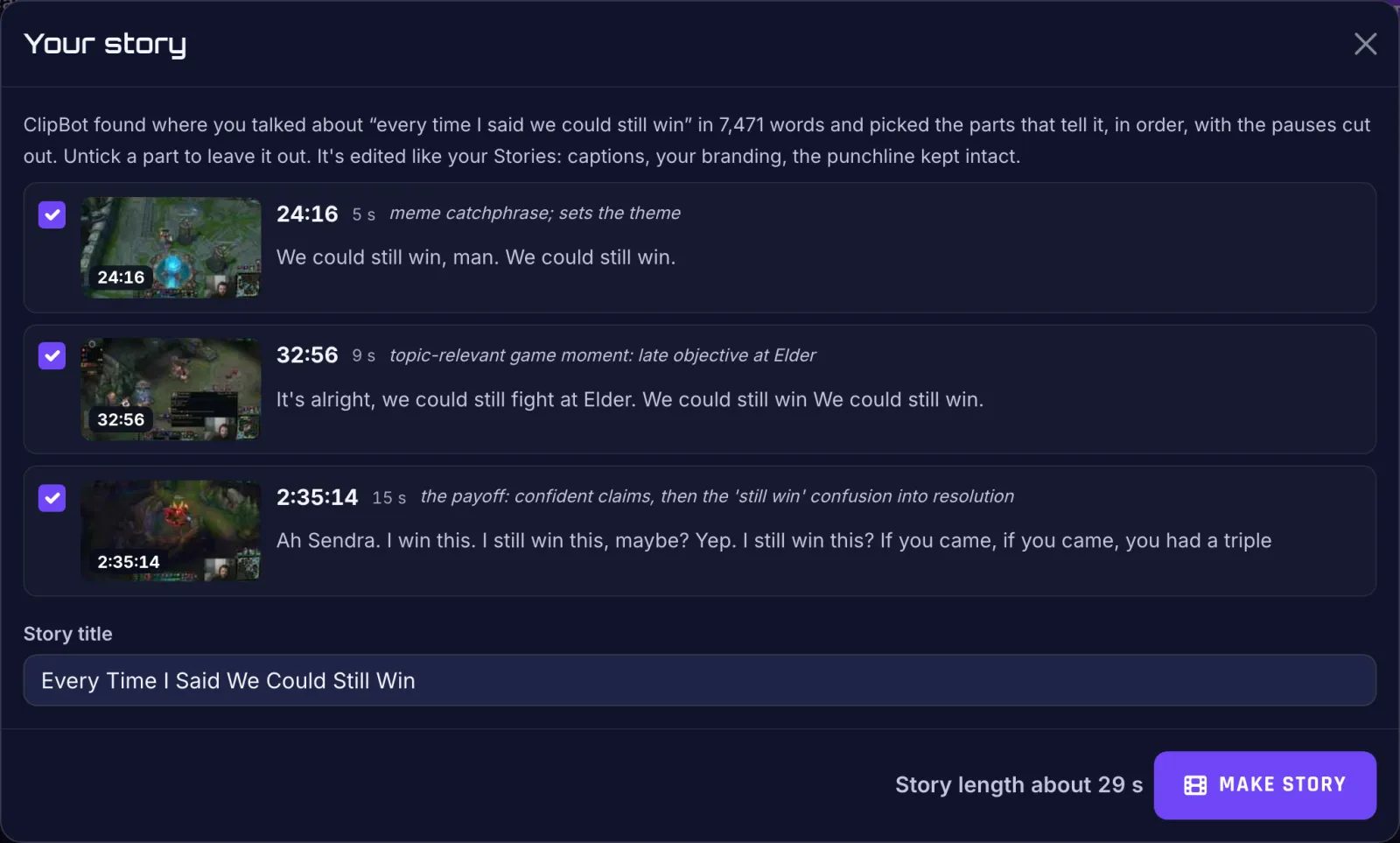
Hit Make story and this is what comes back: a finished Story Short, cut from the broadcast and edited like the rest of your Shorts. Here’s one of coachjsu’s, made with Generate story (a few seconds of it, muted):
What you get without touching an editor:
- Your webcam on top, gameplay below
- Word-by-word animated captions
- A hook title for the first two seconds
- The pauses cut, the punchline kept intact
- Your branding and sound effects
Want to change something? Open in editor takes it straight into the Shorts editor.
What can streamers use Find a moment for?
We’ve been throwing searches at real broadcasts since it went live. These are the ones that made us want to ship it:
- The moment ClipBot missed
the 1v2 under tower right before the break
ClipBot catches a lot, but you know your stream best. Describe it, save it, done. - The story you told chat at 3 a.m.
when I talked about my car breaking down
Your best bits aren’t always gameplay. Generate story turns a ramble into a Short. - Themed compilations
every time I raged at the ranked queue
Or “every time chat roasted my aim”. One topic, one Story, the whole stream’s worth. - A TikTok series from one stream
the boss fight attempts
Make Shorts from top 3, then Find more like this. Part 1, part 2, part 3, posted all week. - Just Chatting and podcast streams
when we argued about pineapple on pizza
Hours of talk, five great tangents. Find them in seconds instead of re-watching the lot. - Collab streams and the clip someone got wrong
when my duo said he’d carry and then died
Find the quote, start it at the setup instead of halfway through, and save the right version.
Our hot take: Stories are the most underrated content a streamer has. Everyone posts the clutch. Nobody posts the bit where you explained, over 40 minutes and three games, exactly how your cousin ended up banned from a Denny’s. Those are the Shorts people follow you for.
What can’t Find a moment find?
Being straight with you: it finds moments through what was said and how chat reacted. That covers most great moments, because something hype on stream almost always gets a reaction from you or from chat. But a purely visual play, where you went silent, chat was quiet and the game audio did the talking, is harder to find by description. For those, search for the reaction after (“when chat spammed W”) or the setup before.
- It works on processed broadcasts, not live. Search a stream once ClipBot has finished clipping it.
- Broadcasts ClipBot processes from now on are searchable straight away. Older ones show a Scan this broadcast button. One scan, a few minutes, and it’s searchable from then on.
- Clips, Shorts and Stories are cut from your Twitch broadcast, so the VOD needs to still be up on Twitch when you make them.
- A Story needs enough to tell. At least 20 seconds of talk about the topic, and up to two minutes. If it only came up in passing, ClipBot says so instead of padding it out.
How do I use Find a moment?
- Open a broadcastAny of yours from your dashboard. Find a moment sits near the top.
- Describe itWhat you said, what happened in game, or how chat reacted. Plain words.
- Preview the hitsCheck the line, the frame and the chips. Preview the one that looks right.
- Make contentSave as clip, Create Short, top 3, or Generate story. It shows up on the page in minutes.
On a phone, the same steps work on the broadcast page in your browser:
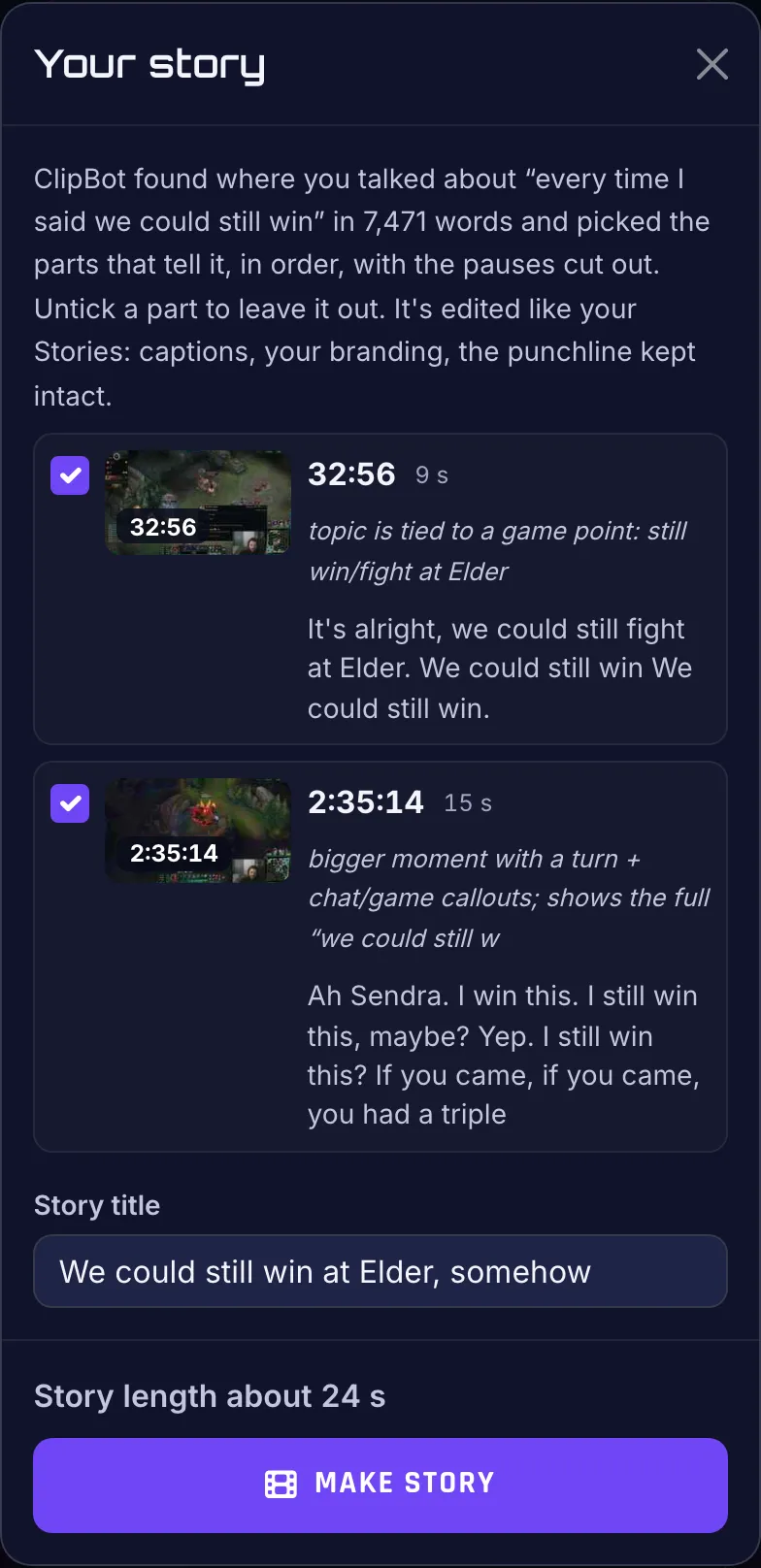
Is Find a moment free?
Find a moment and Generate story are part of ClipBot+, alongside every broadcast clipped automatically after you stream. On the free trial you’ll see Find a moment on your broadcast page with a ClipBot+ badge.
Try it
Open your latest broadcast, think of the best thing you said all stream, and type it in. If it was a story, hit Generate story and watch it come back as a Short. Then go read how to turn Twitch streams into TikToks and Shorts and post the thing. GG.
Questions
How do I find a specific moment in a Twitch VOD?
Can ClipBot make a clip or Short from a moment I search for?
What is Generate story on ClipBot?
Does Find a moment work on live streams?
What moments are hard for Find a moment to find?
Is Find a moment free?
Keep reading
 News
What’s new on ClipBot this week? Sharper clips, call phrases and a bigger sound library
Nov 7, 2026 · 6 min read
 News
Can ClipBot DM you on Discord when your Twitch clips are ready?
Nov 6, 2026 · 4 min read
 Guides
How do you turn a Twitch stream into TikToks and YouTube Shorts in 2026?
Nov 4, 2026 · 8 min read