ClipBot+ streamers are growing their Twitch followers 2.6× faster
Four weeks of daily follower snapshots: the median ClipBot+ streamer is growing 3.1% a month, 2.6× the 1.2% of free ClipBot streamers. What ClipBot+ unlocks, why you should measure your growth, and how to track it.
 ClipBot team · · 5 min read
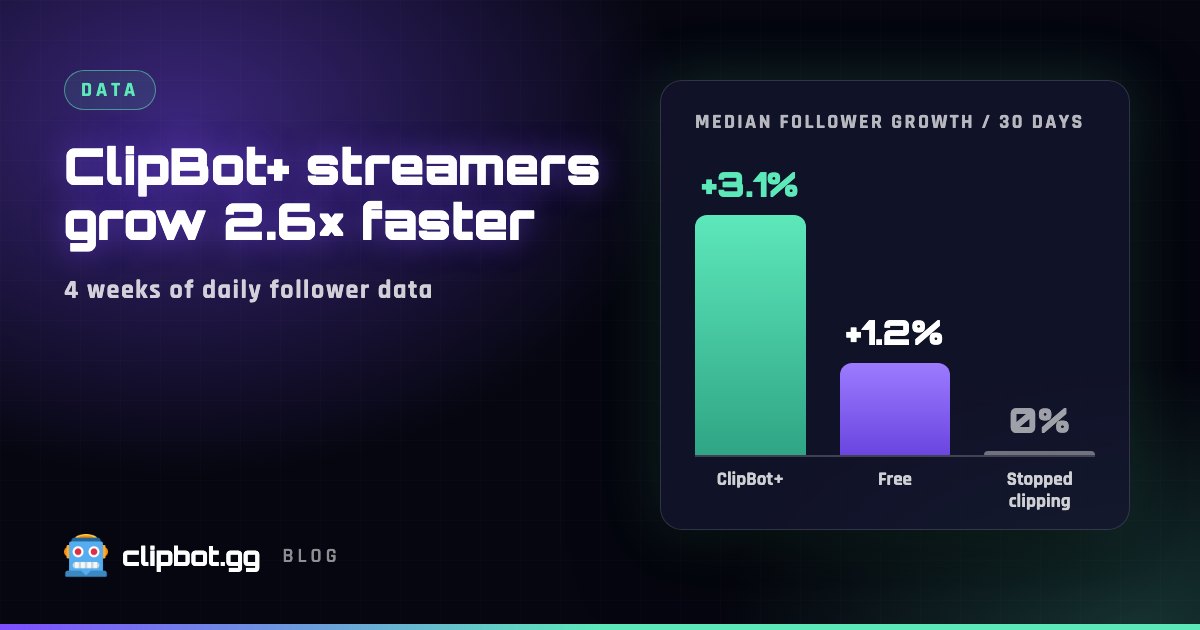
On September 26 we started taking a daily snapshot of every ClipBot streamer’s Twitch followers. Almost four weeks in, there’s a clear gap: streamers on ClipBot+ are growing their followers 2.6× faster than streamers using ClipBot for free.
The numbers
For every streamer we compared their first follower count since tracking began with their latest one, and scaled the change to 30 days so streamers who joined later are measured the same way. Then we took the median of each group, so one channel that blew up can’t skew the result.
“Stopped clipping” = signed up, but no broadcast clipped since tracking began. Growth in percent, so a 50-follower channel and a 5,000-follower channel count the same. Partners and complimentary accounts are left out.
- ClipBot+ streamers grow 2.6× faster. The median ClipBot+ streamer is on pace for +3.1% a month, against +1.2% for free streamers who clip their broadcasts.
What ClipBot+ gives you that adds up
Growth on Twitch is mostly about being found, and being found is mostly about putting more of your best moments in front of people who don’t follow you yet. Here’s what changes when you go from the free trial to ClipBot+:
- Every broadcast, not one a week. The trial clips one broadcast per week. ClipBot+ clips every stream automatically, so none of your best moments get skipped.
- Up to 15 clips per broadcast instead of 5, so the second and third best moments get a shot too.
- Vertical Shorts from every broadcast. ClipBot turns your top moments into ready-to-post Shorts with captions, your branding, webcam layout and edits. More broadcasts clipped means more Shorts to post on TikTok, YouTube and Instagram.
- Clips published on your Twitch channel with no ClipBot branding in the title, so viewers browsing your clips see clean, titled moments.
- Priority processing, so your clips are ready while the stream is still fresh, and you can submit any past broadcast by hand.
Put together, a ClipBot+ streamer who streams four times a week gets every one of those streams clipped and turned into Shorts, while a trial streamer gets one. That’s four times as many chances a week to be discovered.
Why you should measure your growth
Most streamers judge a stream by how it felt: chat was busy, viewers were up, it was fun. That’s worth something, but it doesn’t tell you whether your channel is actually growing. Three reasons to watch the numbers:
- Followers are the number that compounds. Every follower is someone who gets notified next time you go live. Views come and go; followers stay.
- Percent beats raw numbers. Gaining 20 followers means something very different at 100 followers than at 10,000. Tracking your growth in percent tells you whether you’re speeding up or slowing down, whatever your size.
- It shows you what works. When you can see which streams brought in followers, you can do more of what worked: the game, the time slot, the collab, the Short you posted that day.
How to track your growth with ClipBot
Every ClipBot streamer gets these, free or ClipBot+:
Analytics
Your Analytics page shows your Twitch followers with the change over the period you pick, a follower growth chart, your live viewers and your recent broadcasts, next to your clips and upvotes.
The Growth panel on your profile
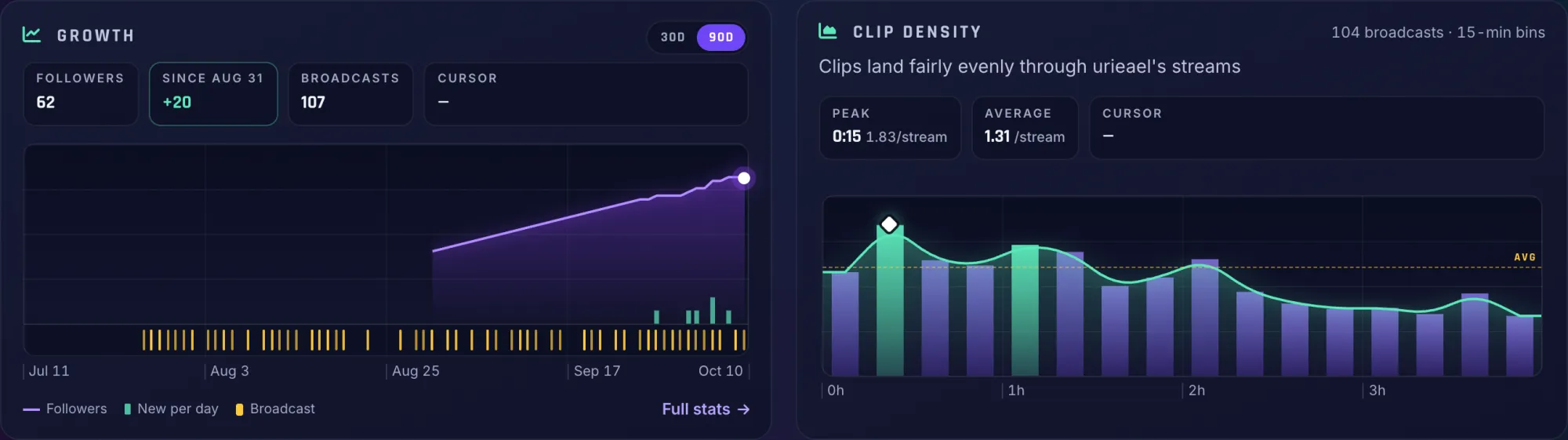
Follower change on every broadcast
Each broadcast page shows how many followers you gained around that stream. Open your last few broadcasts and compare: the pattern is usually obvious.
A public stats page
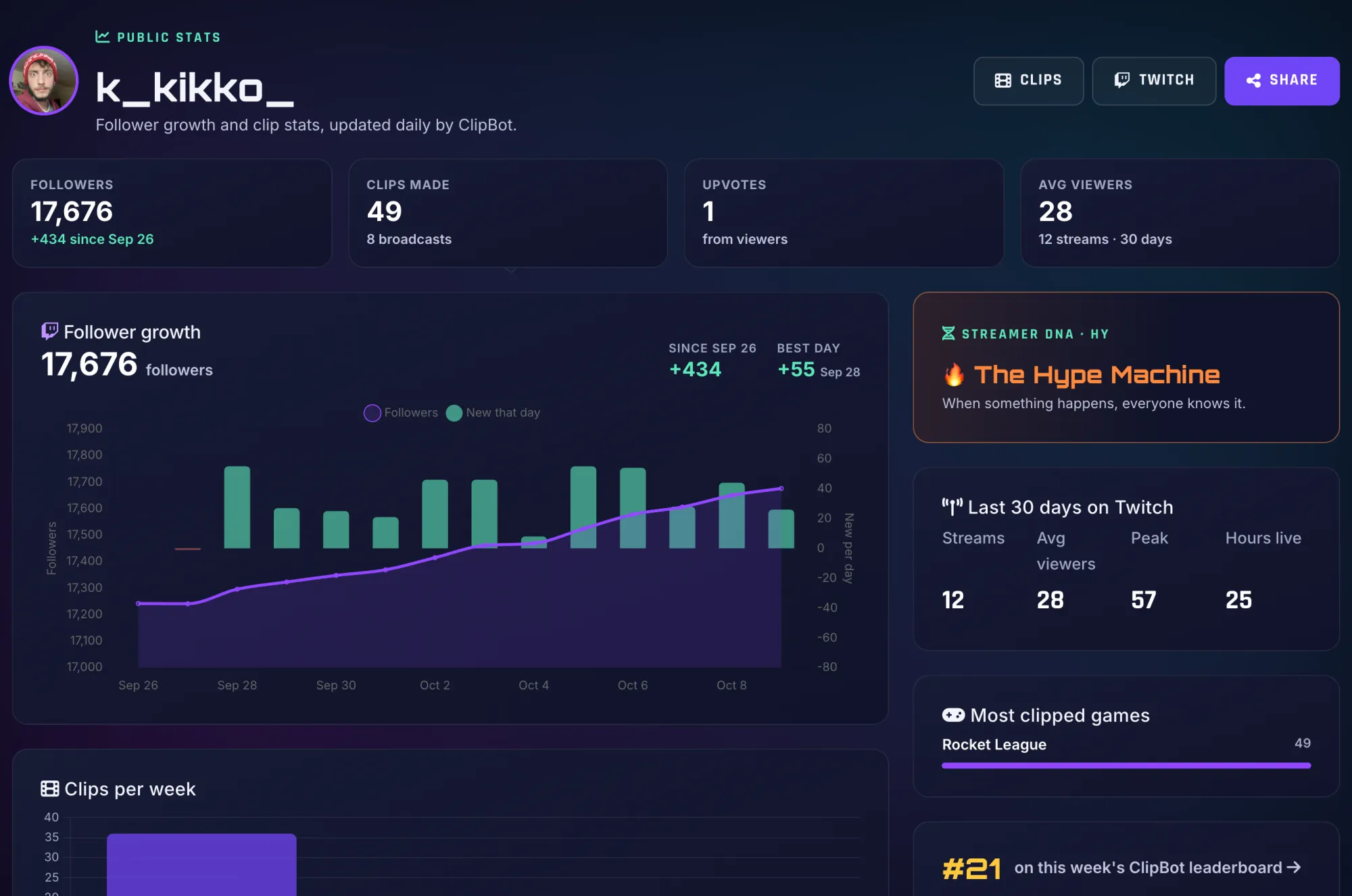
Fastest Growing and your Journey
The Fastest Growing leaderboard ranks streamers by percent growth over 7, 30 and 90 days, so a small channel can top it. Your Journey page turns follower milestones into goals and shows the next one you’re closest to.
Learn to grow: ClipBot University
How we measured
- Data: ClipBot’s daily snapshot of each connected streamer’s Twitch follower count, from Twitch’s public API, from September 26 to October 20, 2026.
- Growth: the change from each streamer’s first snapshot to their latest, with at least 7 days between them, scaled to 30 days. We report the median of each group.
- Groups: ClipBot+ means an active paid subscription. Free means no paid plan and at least one broadcast clipped since tracking began. No broadcasts since means a ClipBot account with no broadcast clipped in that time. Partner and complimentary accounts are left out.
- Frozen: the numbers in this post were calculated on October 20, 2026 and won’t change.
Questions
Does ClipBot help Twitch streamers grow?
What is a good follower growth rate on Twitch?
How do I track my Twitch follower growth?
What does ClipBot+ include?
Is ClipBot University free?
Keep reading
 News
Shorts branding: your colours, styles, webcam layout and edit on every Short
Oct 18, 2026 · 6 min read
News
Shorts branding: your colours, styles, webcam layout and edit on every Short
Oct 18, 2026 · 6 min read
 News
Introducing Stories (Beta): the stories told on stream, cut into one Short
Oct 12, 2026 · 4 min read
News
Introducing Stories (Beta): the stories told on stream, cut into one Short
Oct 12, 2026 · 4 min read
 Behind the build
We blind-tested ClipBot against six AI clipping tools, came second to last, and rebuilt our Shorts
Oct 12, 2026 · 7 min read
Behind the build
We blind-tested ClipBot against six AI clipping tools, came second to last, and rebuilt our Shorts
Oct 12, 2026 · 7 min read